Stylized Grass Painter
Paint grass where you want it. Wind, ink outlines and painted skies (beta) included.
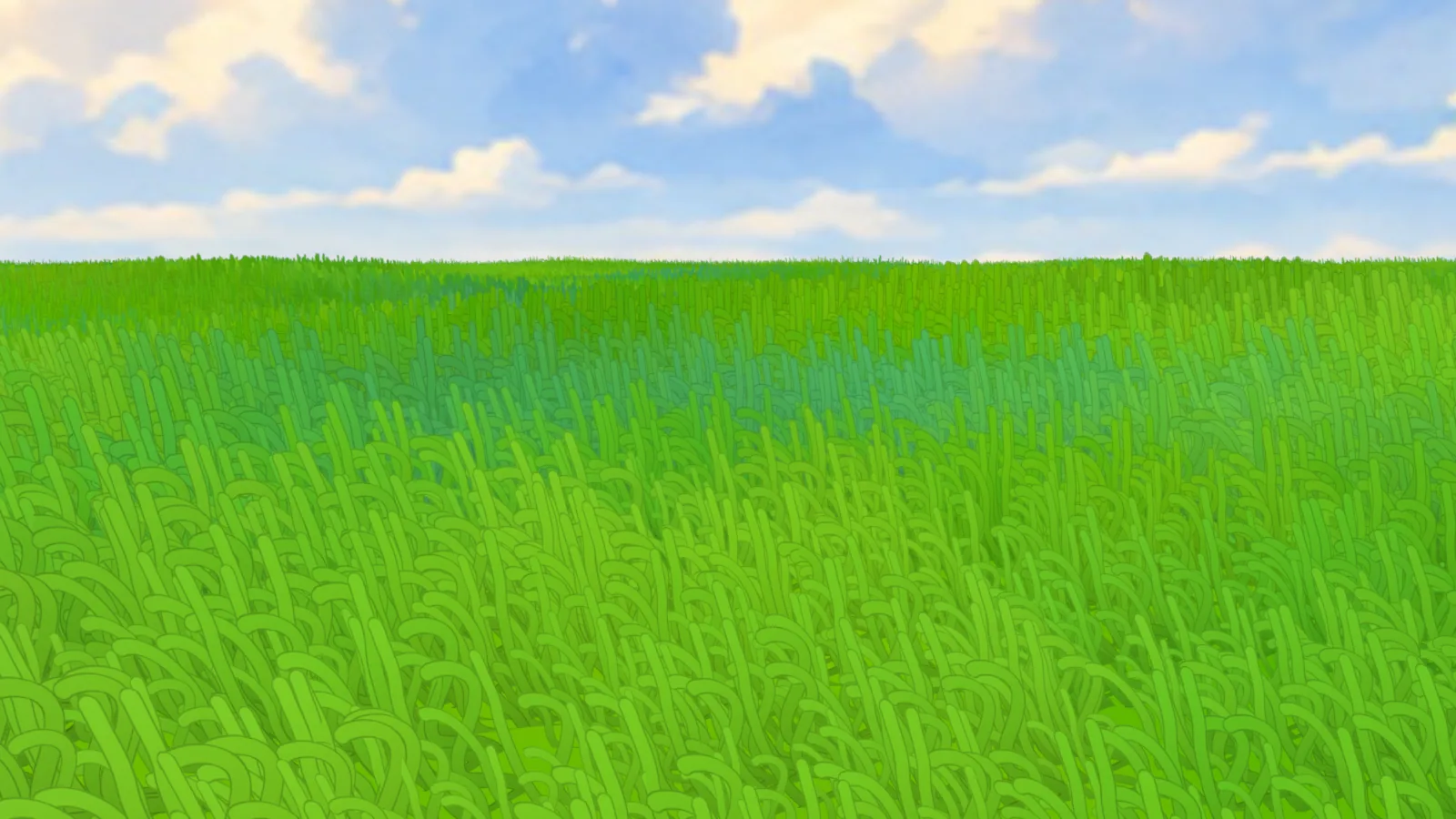
Paint white on any mesh and stylized grass grows there, colored by the ground beneath it and moving in the wind. Everything is live sliders in one sidebar tab, and camera culling keeps big fields fast.
Rendered in EEVEE: wind with gust highlights, Cloud Shadows on, the Day sky preset. The clay Suzanne is the only thing added by hand.
Grass grows where you paint
Press Paint and brush white where grass should grow; Erase paints it away. Brush strength sets the density, so soft strokes give thin, natural edges.
- PaintOrdinary vertex painting: your brushes, strength and falloff all work
- ErasePaths, clearings and edges, painted back to bare ground
- LiveGrass appears as you paint, with the wind still running
The ground follows the paint, too. Where you paint, the ground texture blends into your own material; unpainted areas stay exactly as they were. Drag to compare.
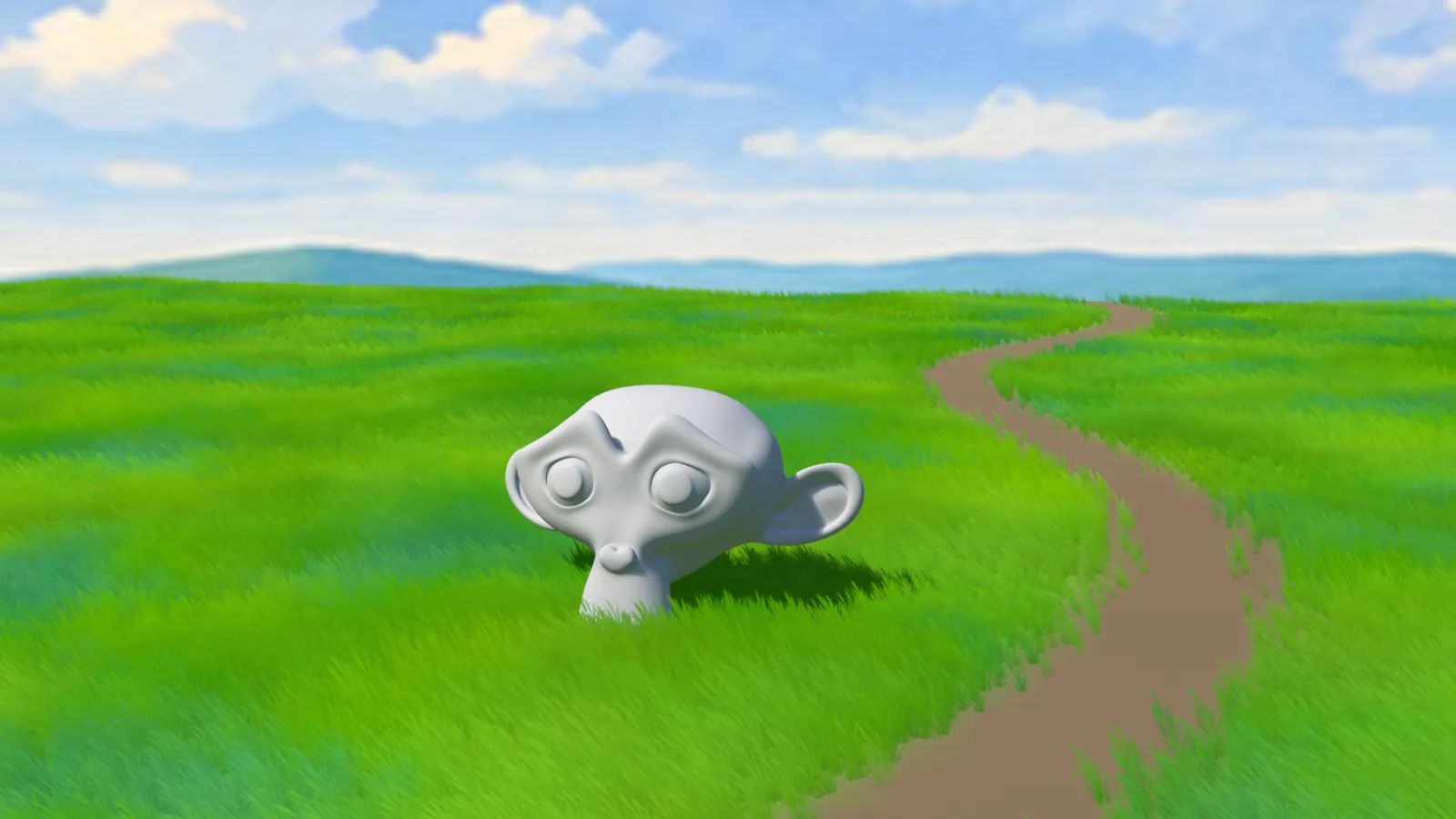
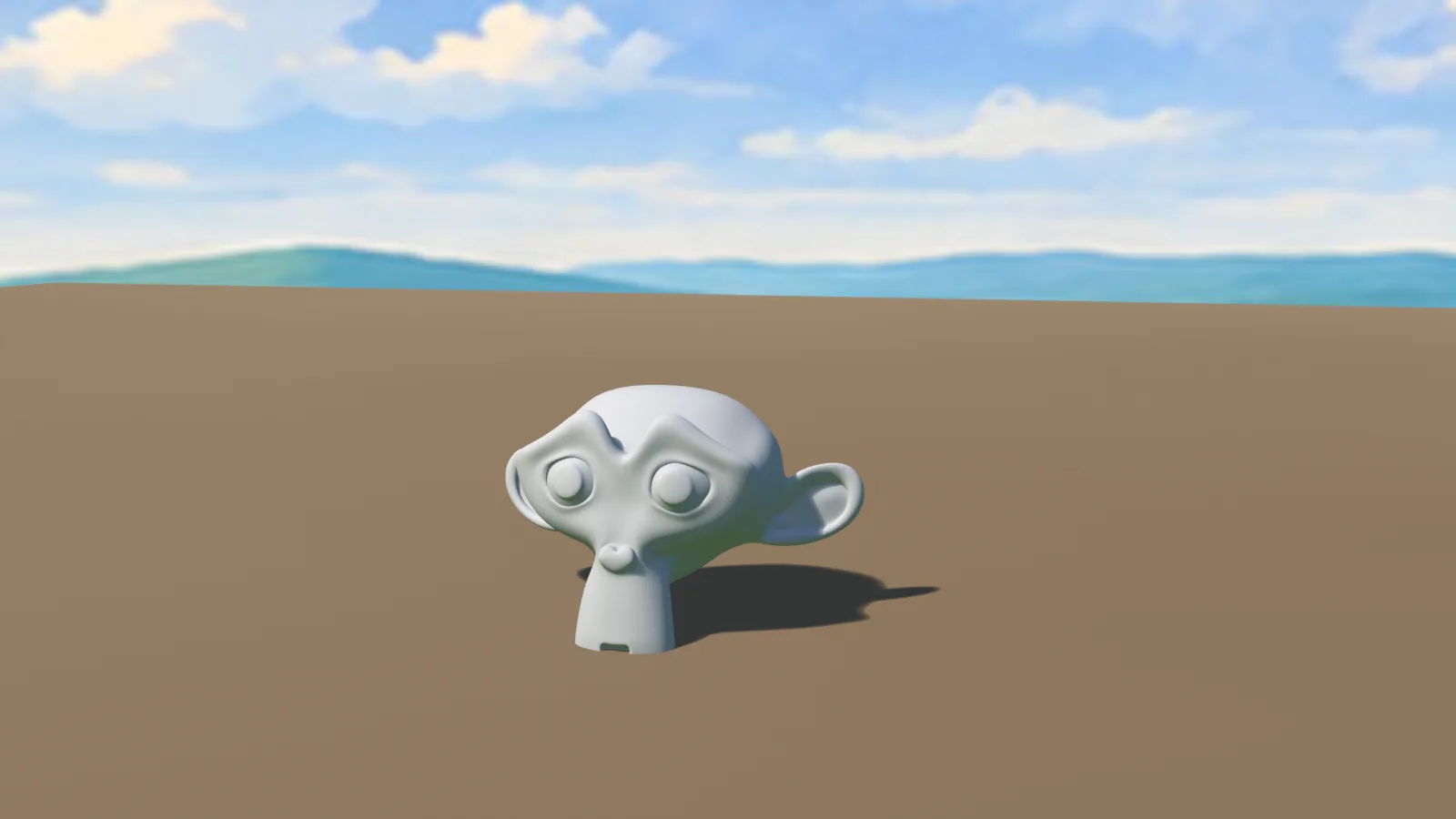 Your materialPainted
Same plane, same dirt material. Your material is never replaced: a paint-driven mix goes in front of its output, and shared materials are copied first.
Make it your style
The look is made for animation-style backgrounds, and every part of it is a slider. Pick a feature and drag to compare.
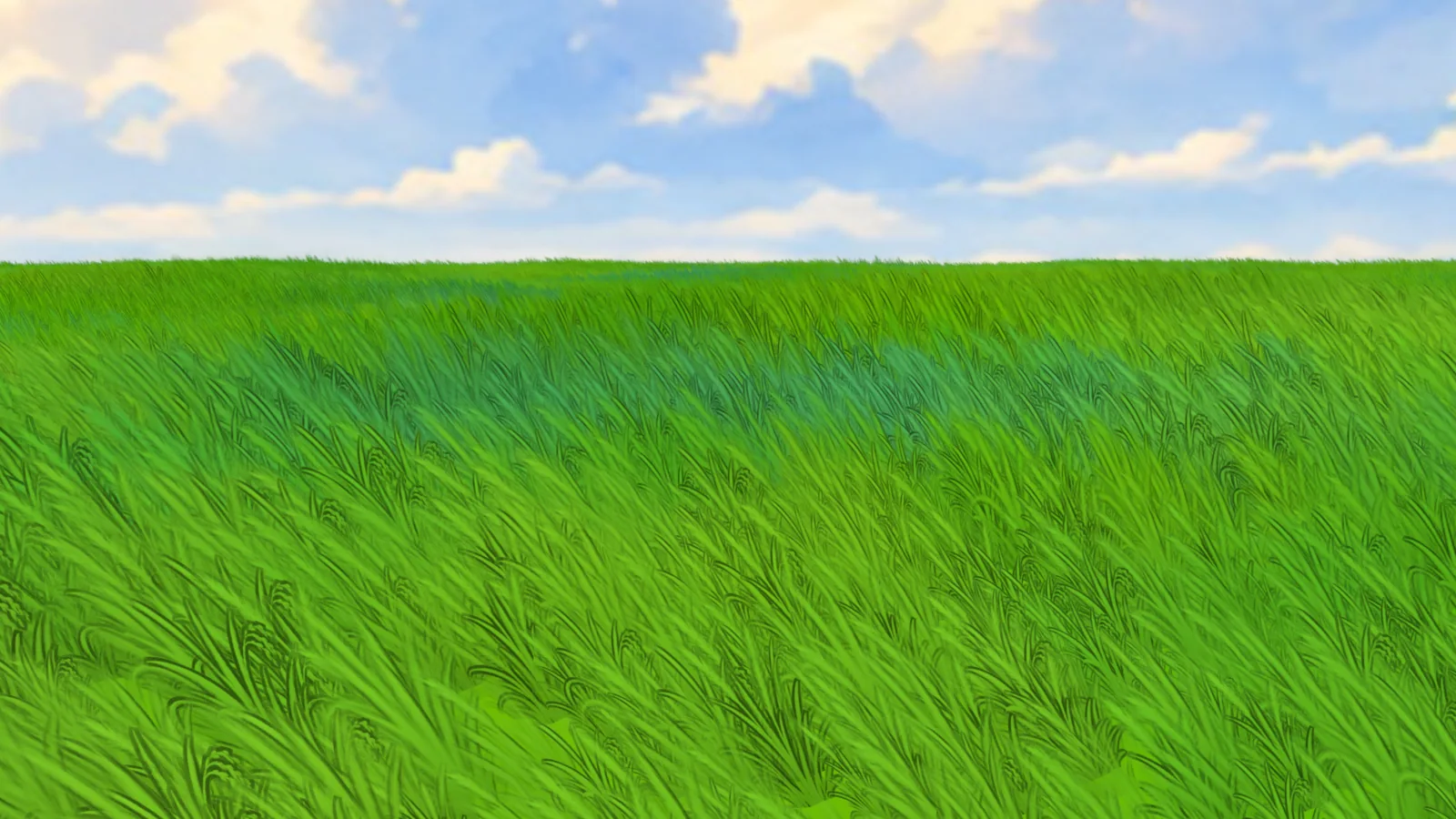
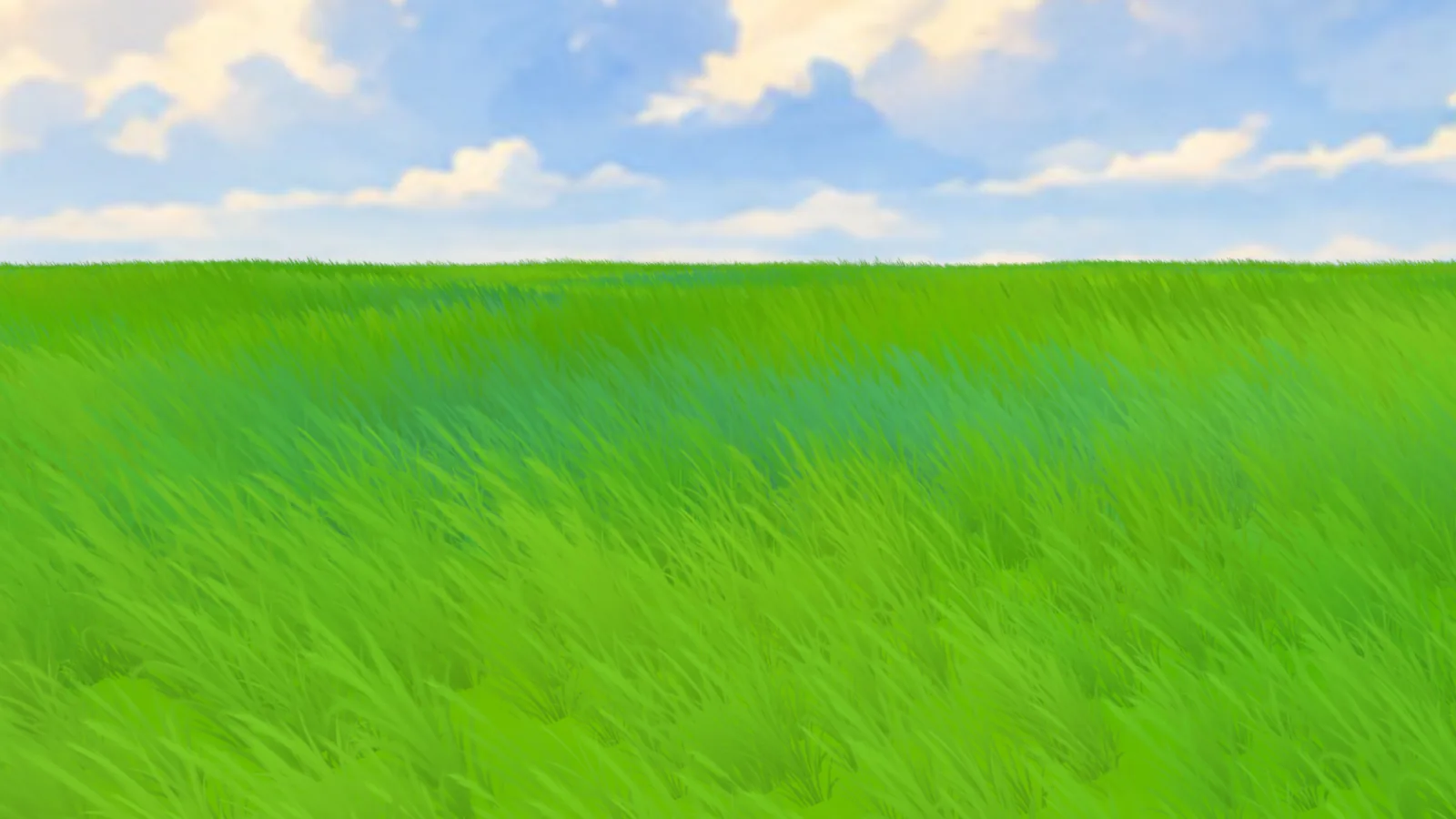 OffOn
OffOn
Draw your own grass
Paint white shapes on a black image in any paint app, and Grass Painter turns them into grass: colored by the ground beneath it, bending in the wind, inked and shaded like the presets.
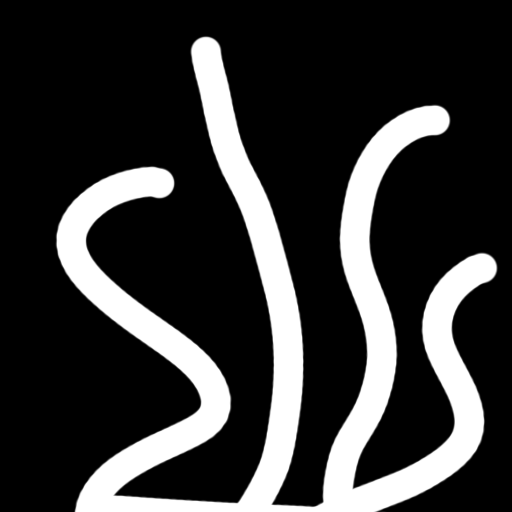
 In Blender
- DrawWhite on black, or shapes on a transparent PNG. Photoshop, Krita, Procreate or Blender itself.
- LoadOpen it in one of the four Grass slots. Mix up to four drawings for variety.
- DoneThe ink outline, Trim Cards and the shading adapt to your shapes on their own.
Wind that reads like a painting
Two layers of moving noise bend every tuft from its base: slow rolling gusts and quick flutter. It plays on the timeline and renders the same in animations.
Gusts & flutter
Direction, Strength, Speed, Scale of the gusts and Flutter for the small, fast motion.
Gust highlight
Grass pressed down by a gust lights up, tips more than roots, in a color you choose. The waves you see moving through the field at the top of the page.
Cloud shadows
Large soft shadows drift across the field along the wind. Strength, Size, Speed.
Pause Wind
Freeze the grass in its current pose. The field stops recalculating every frame, so playing back everything else gets about 9× faster.
Hills, islands, tiny planets
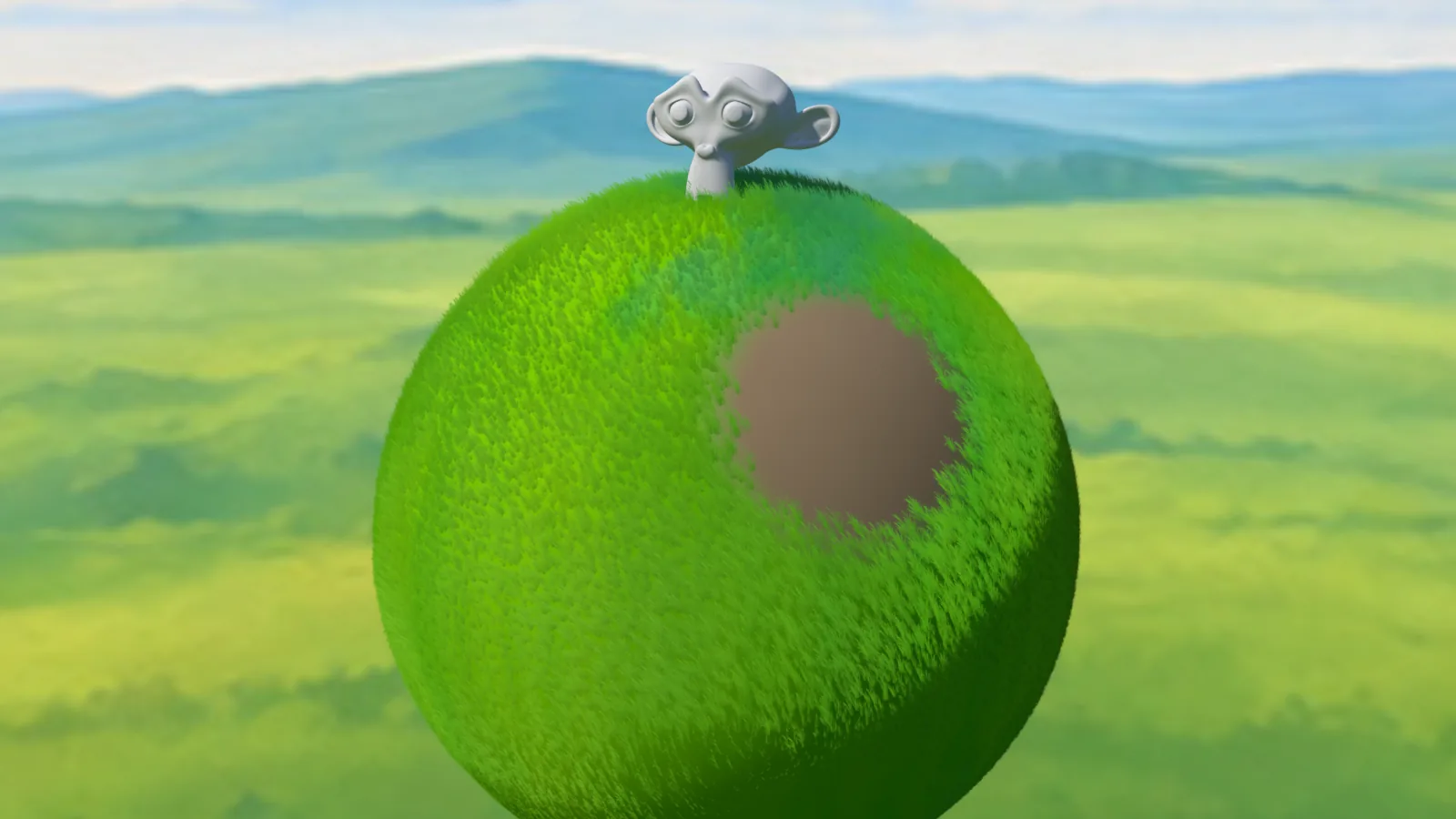
- Grows along the surface: grass follows the mesh's normals, on terrain, rocks or a sphere
- One click to start: Create Grass Field, or add grass to your own meshes
- Simple planes are subdivided automatically so there's enough resolution to paint
- Move, rotate, scale grass objects freely; camera-facing and distance fading stay correct
Only the grass the camera sees
Camera Culling builds grass only inside the camera's view, plus a margin, and follows camera moves and lens changes. Distance LOD thins it out with distance. Below is Blender's Solid View of a 60 m field made with Create Grass Field: every tuft is an image plane, and the camera (selected, orange) looks at Suzanne.
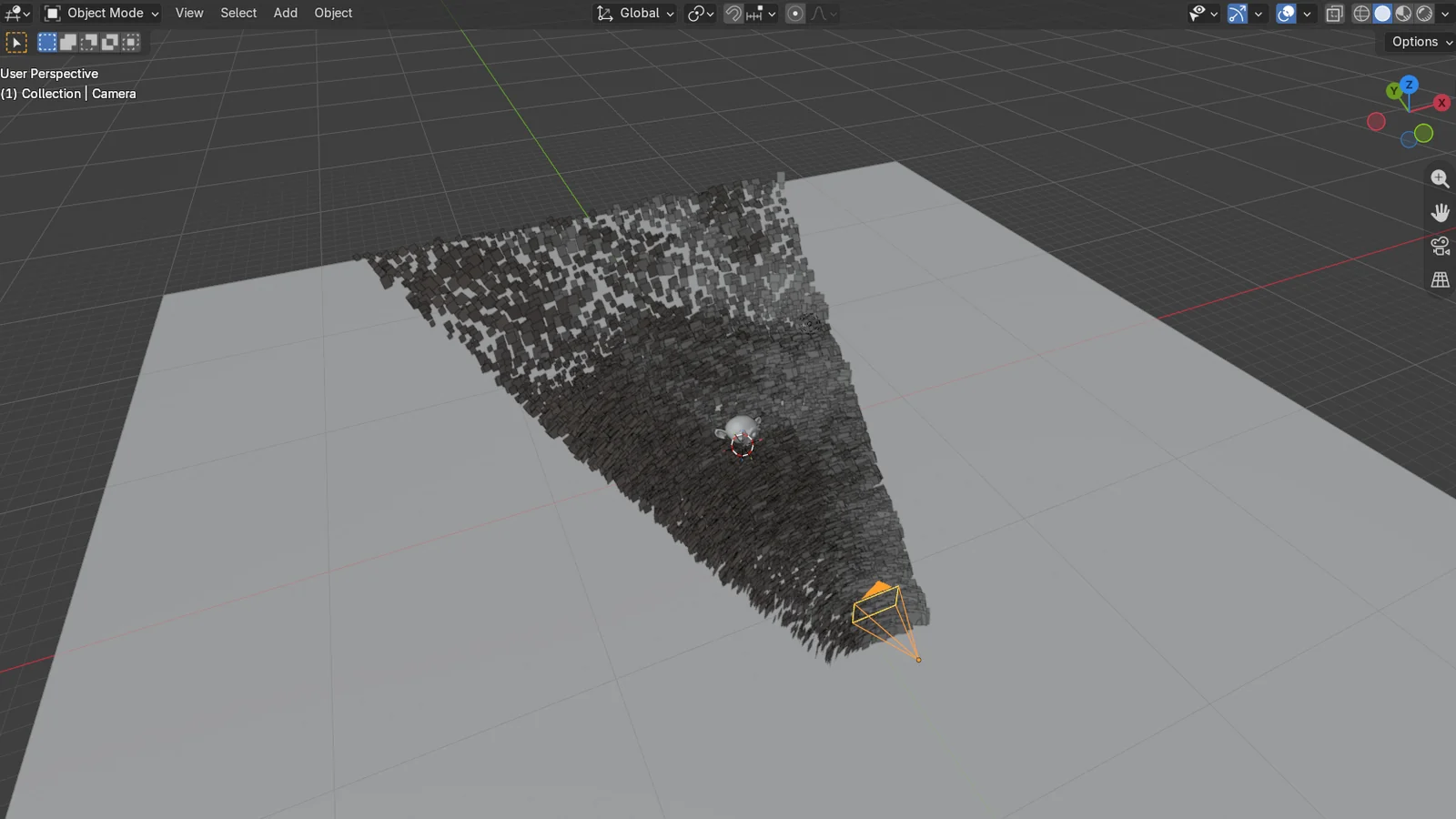
Blender 5.2, default Solid shading. Default density; Distance LOD fades from 8 m to 30 m, down to 5% (LOD Start, End, Min). Counts are the planes Blender builds. Through the camera, all three look the same.
- Viewport Density: show a fraction of the grass while you work; renders always use 100%
- Trim Cards: cuts the empty corners off every grass card, adapting to your textures, for less overdraw in dense close-ups
- Pre-baked outline: the ink outline is baked into the textures, so switching it on costs nothing per frame
- Geometry Blades: real ribbon blades instead of transparent cards, for when transparency is the bottleneck
One sidebar tab, all live
Everything is in the 3D View sidebar (N) under Grass, and every slider updates the viewport live. This is the real panel, captured in Blender 5.2 with the optional parts switched on.
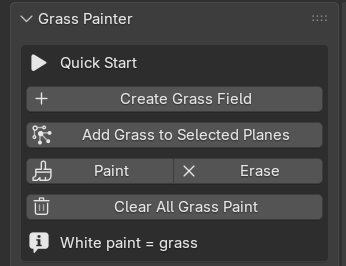
- Create Grass Field: a ready-to-paint field in one click (size, start full or empty)
- Add Grass to Selected Planes: set up your own meshes
- Paint / Erase: vertex painting with the right color already set
- Clear All Grass Paint: start over
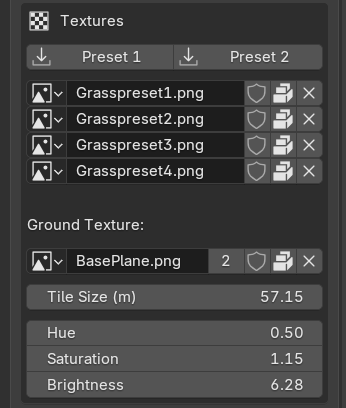
- Preset 1 / Preset 2: generated blade masks, or hand-drawn grass textures
- Four grass slots: your own drawings, white on black or transparent PNGs
- Ground Texture: any image; the grass takes its color from it
- Tile Size: meters per repeat; ground and grass stay in sync
- Hue, Saturation, Brightness of the ground, and so of the grass
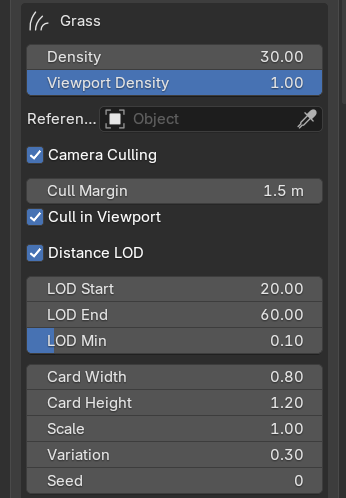
- Density and Viewport Density (renders always use 100%)
- Reference Camera: the camera used for culling, LOD and Align Rotation; empty means the scene camera
- Camera Culling: Cull Margin, and whether to cull in the viewport too
- Distance LOD: LOD Start, LOD End, LOD Min
- Card Width, Card Height, Scale, Variation, Seed
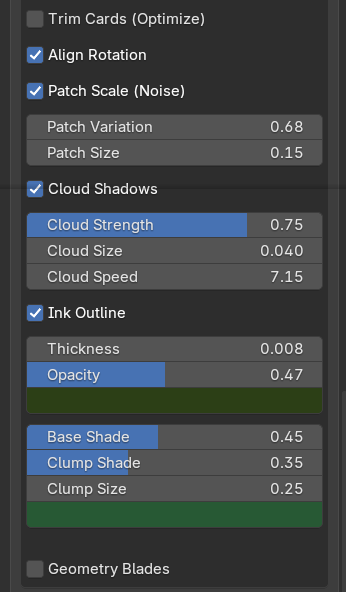
- Trim Cards: cuts the empty corners off the cards
- Align Rotation: cards face the camera
- Patch Scale: whole regions tall or short (Variation, Size)
- Cloud Shadows: Strength, Size, Speed
- Ink Outline: Thickness, Opacity, Color
- Base Shade, Clump Shade, Clump Size and the shade color
- Geometry Blades: ribbon blades instead of cards (Blades per Clump, Width, Bend)
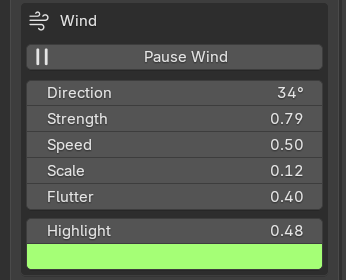
- Pause Wind: freeze the pose for faster playback
- Direction, Strength, Speed, Scale of the gusts
- Flutter: small, fast motion on top
- Highlight strength and color for grass pressed down by a gust
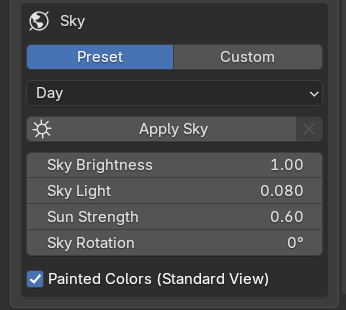
- Preset or Custom: Morning, Day, Sunset, Dusk, Night, or your own 2:1 image
- Apply Sky (adds the matching sun lamp) and Remove
- Sky Brightness (seen) and Sky Light (lighting), separately
- Sun Strength, Sky Rotation (the sun follows)
- Painted Colors: Standard view so the paintings keep their colors
Specs & questions
- Blender
- 4.2 or newer (an extension: install from disk)
- Render engine
- EEVEE; the shading is designed and tuned for it
- Works on
- Any mesh: planes, terrain, spheres. One field or many
- Included
- Two grass texture presets, five painted skies (beta)
- Systems
- Pure Python: Windows, macOS, Linux
- License
- GPL-3.0-or-later
Will it change my materials?
No. It puts a paint-driven mix in front of your material's output, so unpainted areas look exactly as before. Materials shared with other objects are copied first.
Can I use my own grass and ground textures?
Yes. Grass masks can be white silhouettes on black or transparent PNGs; the ground can be any image. Preset textures and skies are packed into your .blend when used.
Does it work in Cycles?
It's made for EEVEE, and the look is tuned for EEVEE's lighting. Cycles isn't supported.
Does it animate?
Yes: the wind and the cloud shadows play on the timeline and render on every frame. Camera Culling and Distance LOD follow a moving camera.
A field in under a minute
- InstallDrag the zip into Blender, or Edit › Preferences › Get Extensions › drop-down at the top right › Install from Disk…
- Open the Grass tabIn the 3D View sidebar (N). Click Preset 1 or Preset 2 to fill the textures, or use your own.
- Create a fieldCreate Grass Field for an instant one, or select your own meshes and click Add Grass to Selected Planes.
- Paint, then stylePaint where grass grows, Erase where it doesn't. Pick a sky, then tune wind, outline and shading with live sliders.
Updating from version 2.18 or older? Those were a legacy add-on. Remove the old one (Preferences › Add-ons › Grass Painter › Remove), restart Blender, then install the new zip. Your scenes and settings are kept.
Five painted skies, one click
Beta: Painted Skies is new and still being tuned. The sky images are 2048 × 1024 for now, so they can look soft or blurry, especially through longer lenses or in large renders. Brightness and sun placement may also change in updates.
Hand-painted 360° skies that light the whole scene. Applying one also adds a sun lamp aimed from the painted sun, so shadows fall the way the picture says. Pick a sky below; it's the same scene and camera each time.
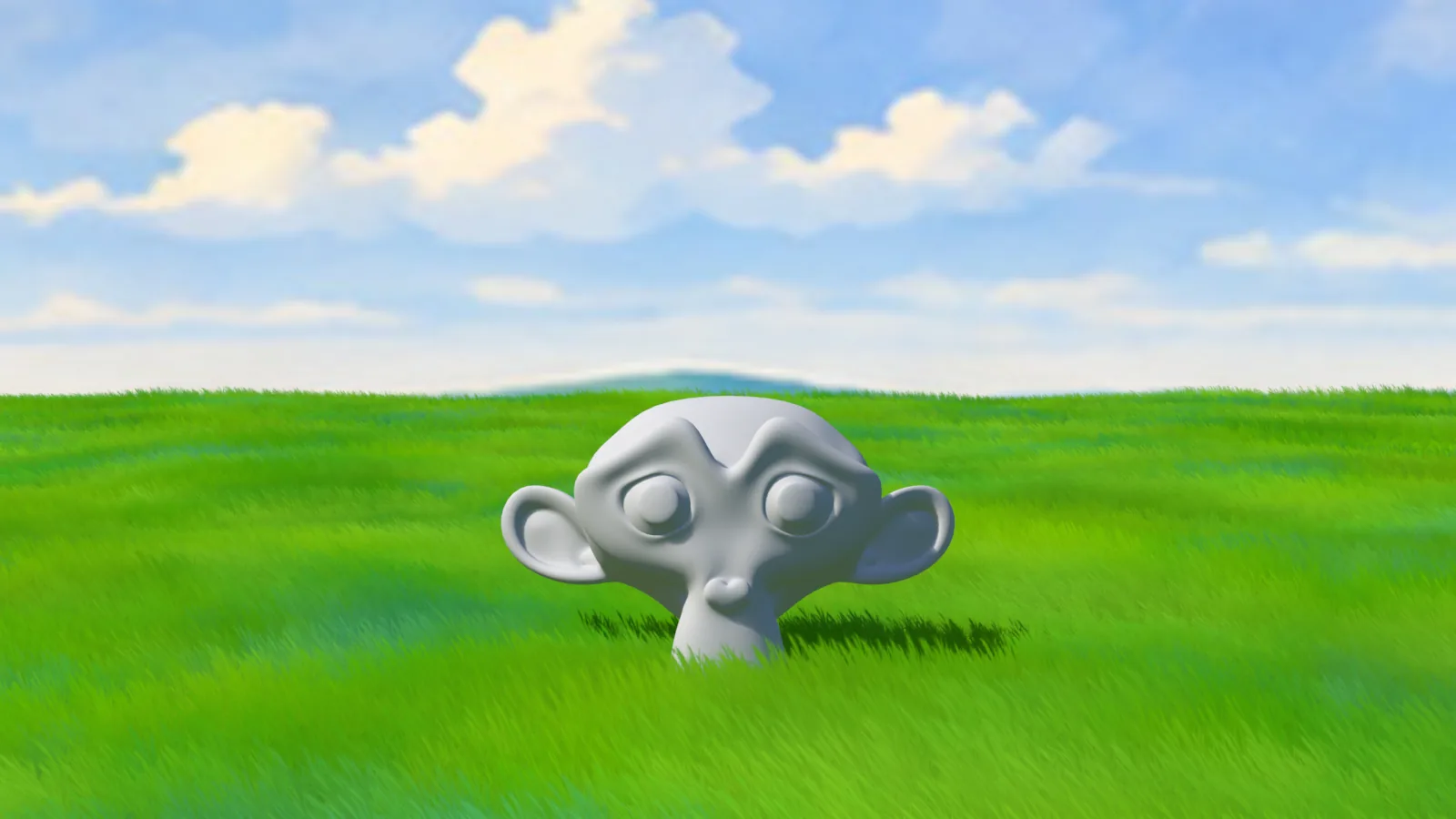 Day
Day
- Sky Brightness and Sky Light are separate: how bright the sky looks to the camera, and how strongly it lights the scene
- Sun Strength for the key light; Sky Rotation spins the sky and the sun follows
- Your own sky: any 2:1 panorama; the sun is found automatically
- Remove Sky puts your previous world back